The Perception Box, the app
Customizethe app
The Recording Club runs every Perception Box Night on its own app. Guests check in on their phones, pick their sessions, and get a text before each one starts. We can set up the same system for your organization, with your name, logo, colors, rooms, and schedule.
The guest's night on their own phone
One link, printed on a card at the door. No download needed. Members with the iOS app get the same screens inside it.
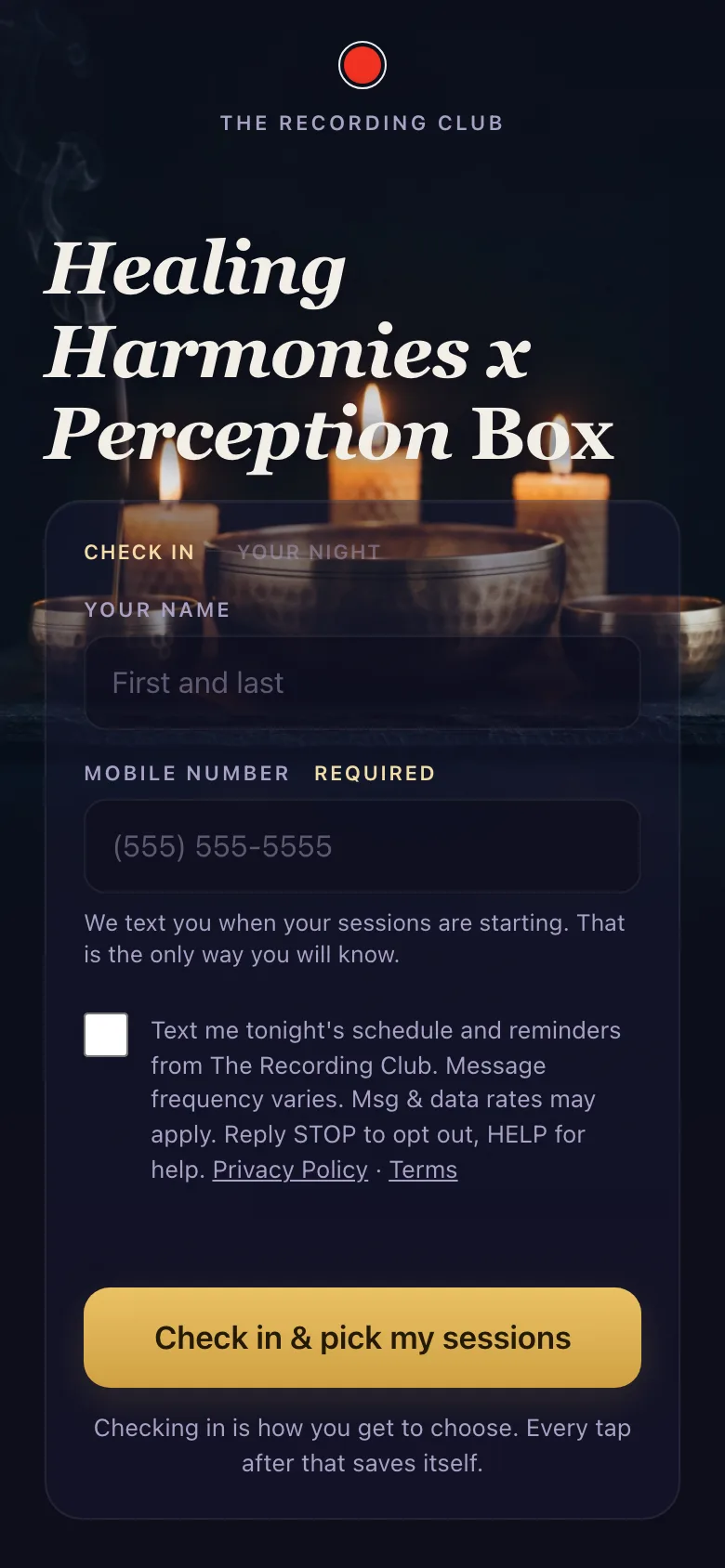
Check in
- Check in with a name and mobile number
- Opt in to texts for the schedule and reminders
- Checking in again with the same number reconnects to the same guest and their picks
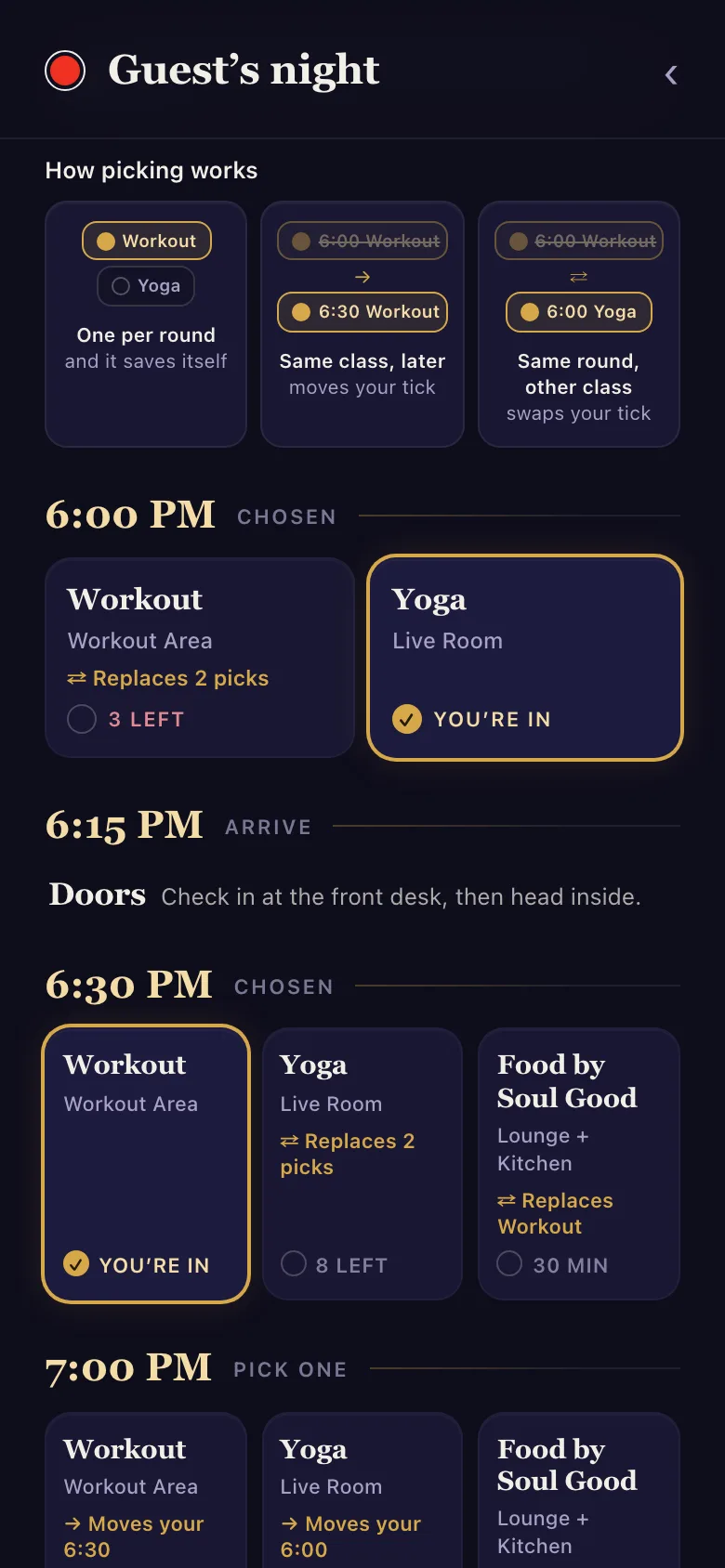
Pick your sessions
- One session per round, with a single tap
- See how many spots are left before a class fills
- The card says what a tap will move or swap
- Every tap saves itself
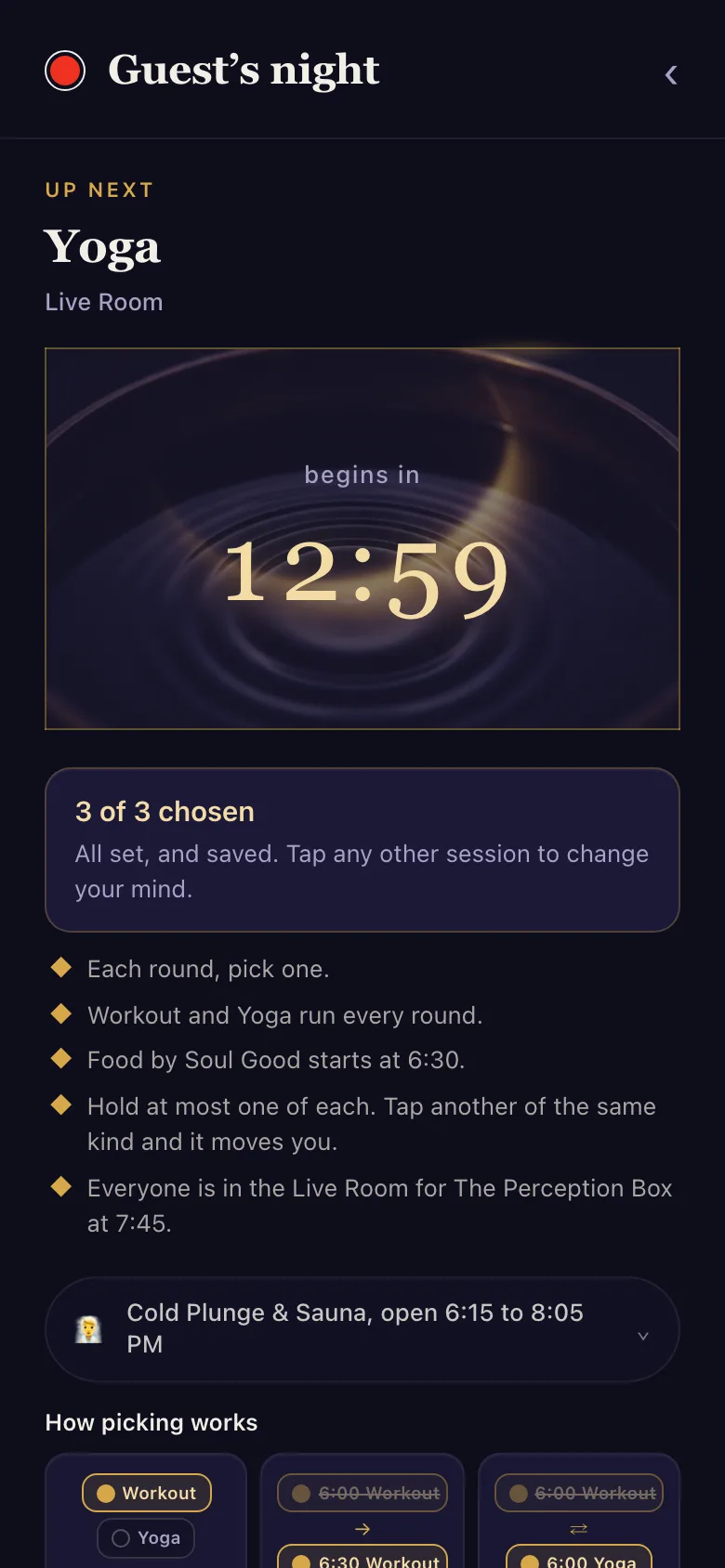
My Night
- What is up next, where it is, and a live countdown
- The night's house rules in one short list
- A guide to the cold plunge and sauna
Shown with a sample night built from our September 16 2026 schedule. Guest names are generic placeholders. Live at app.therecording.club/tonight, which shows a "Nothing on tonight" page between event nights.
The room screens that run themselves
A lobby screen keeps everyone on time. The LED wall turns the questions into a game guests play on their way in.
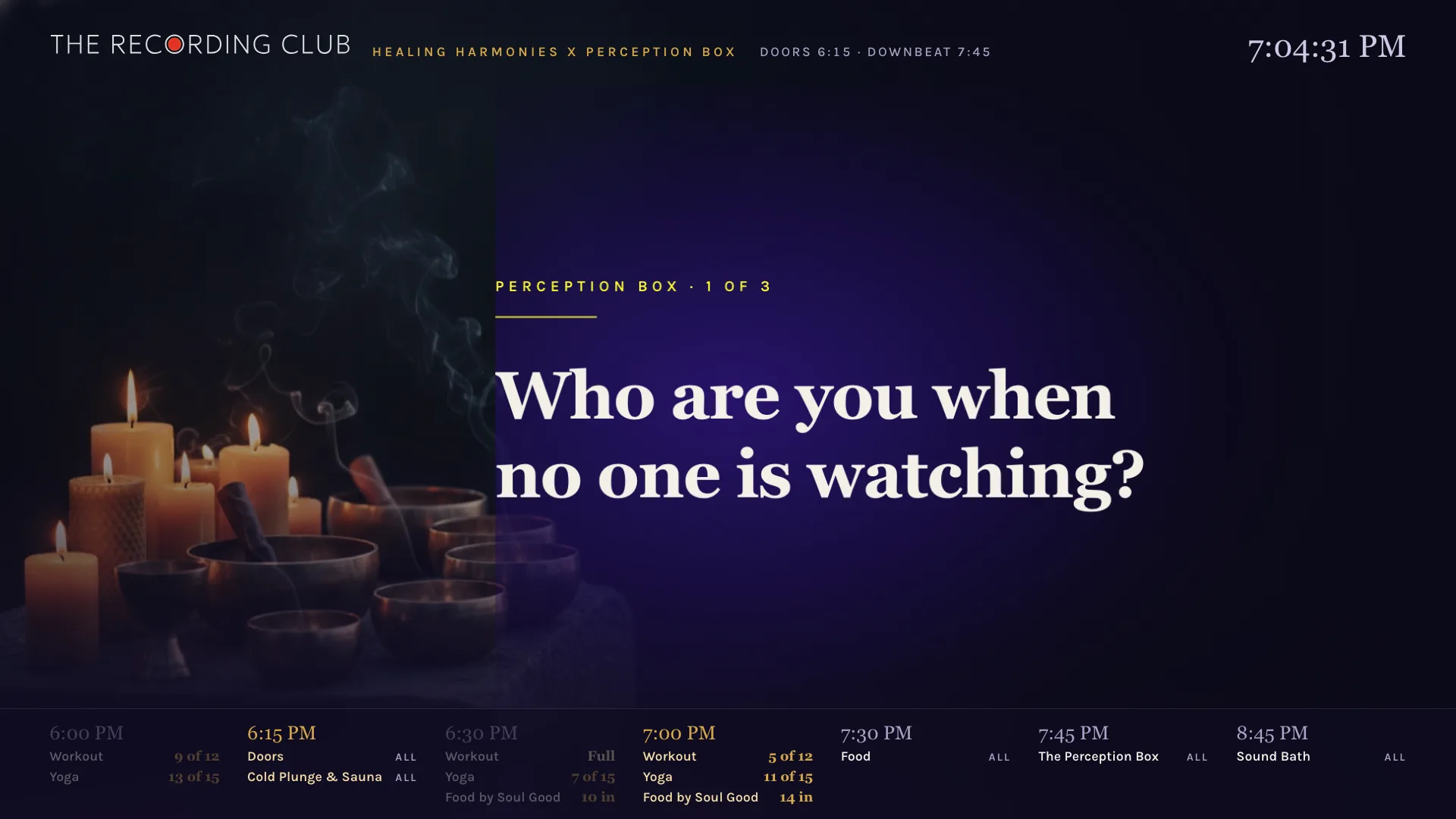
Lobby screen, question face
The lobby board
app.therecording.club/tonight/board
- Rotates through the night's Perception Box questions
- Then the live board, then the schedule, then your slides
- The clock and the whole night stay along the bottom
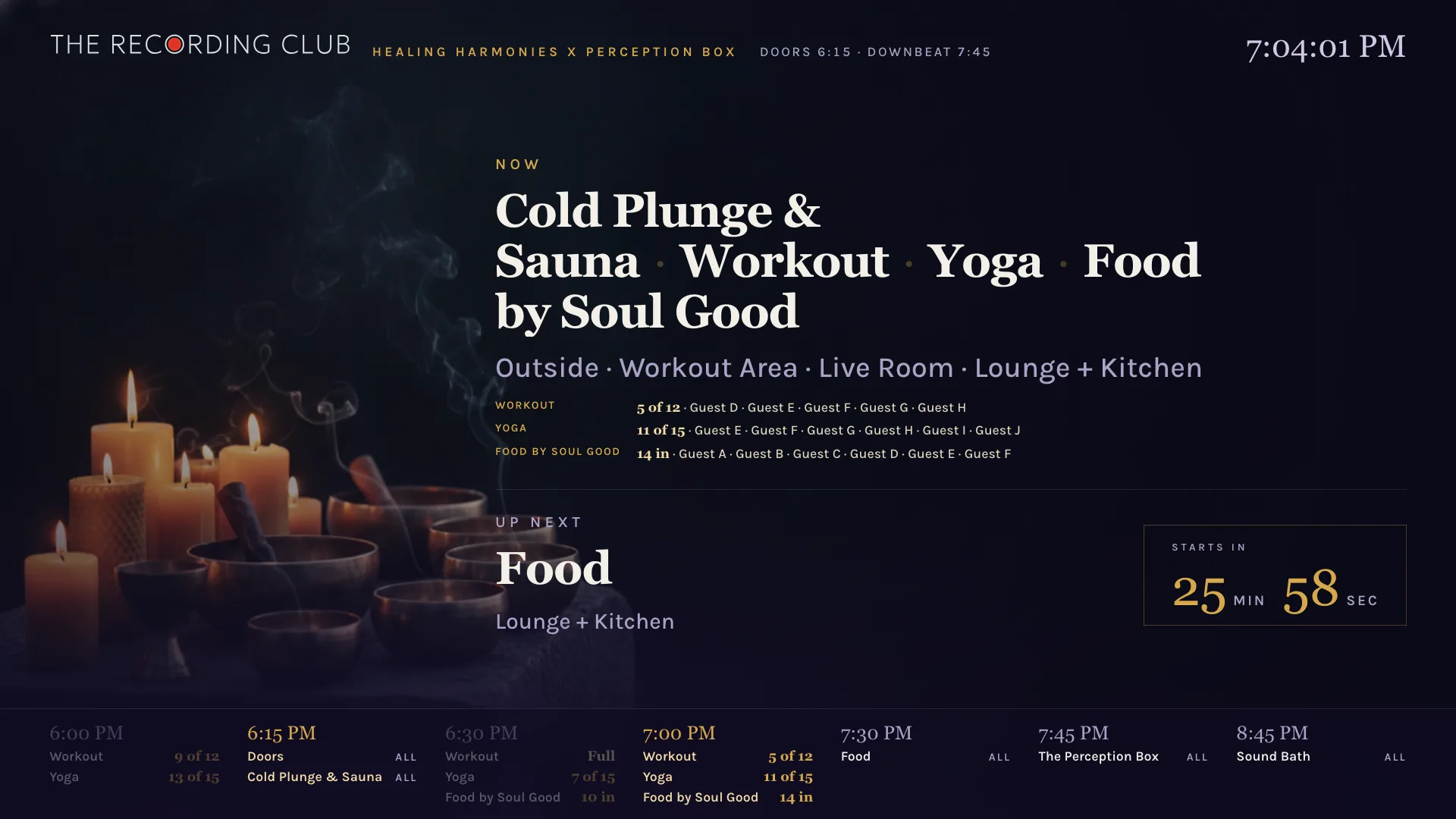
Lobby screen, live face
What is on now
- Each session, its room, and how full it is
- Who is in each session, by first name and initial
- A countdown to the next round
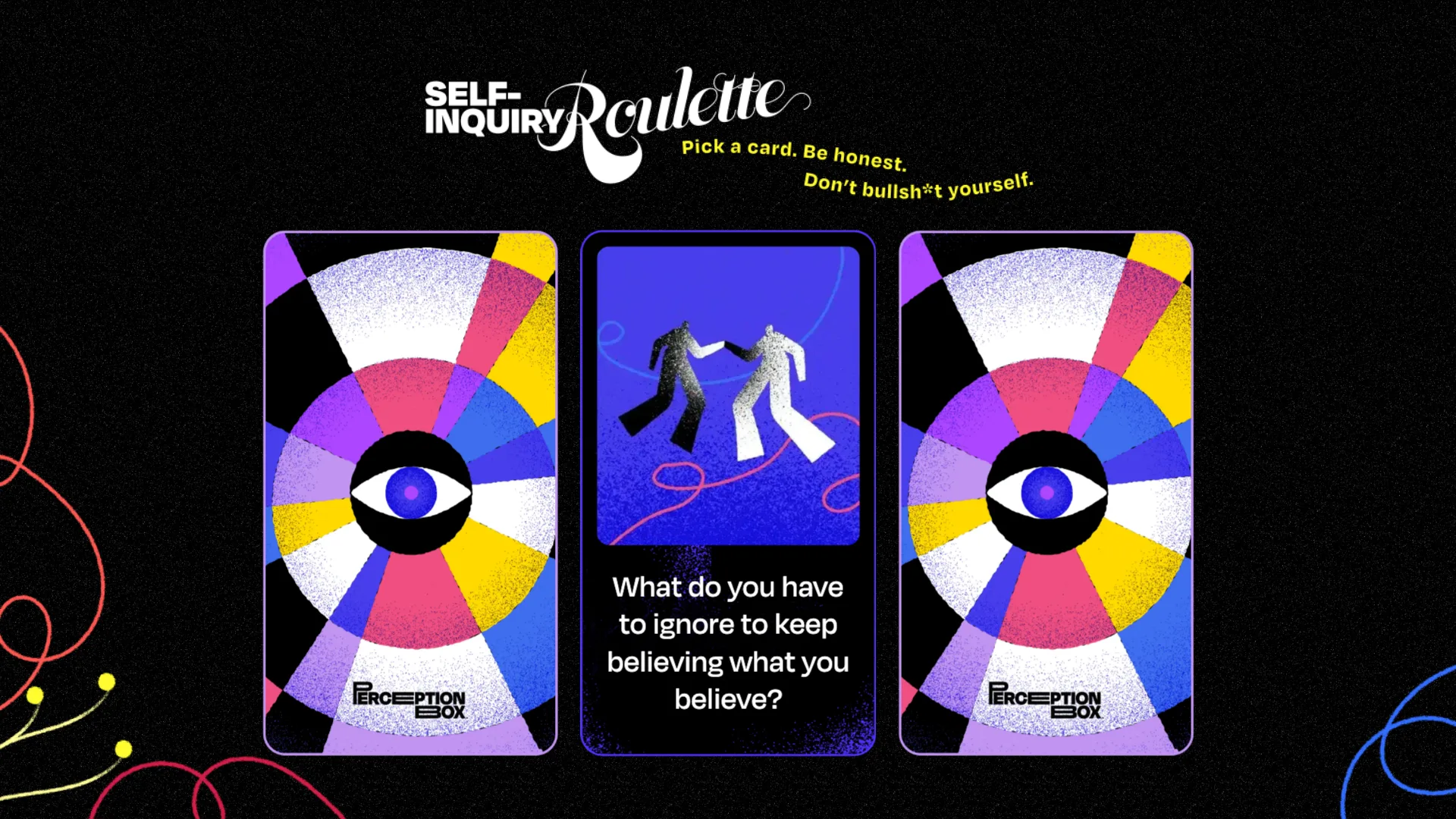
LED wall
The question roulette
- A guest picks one of three cards and it flips to a question
- The next guest gets a fresh spread
- Staff edit the deck from a phone and the wall updates live
- Runs from a clicker or keyboard, fullscreen
Card art from Unlikely Collaborators' Self-Inquiry Roulette. Questions come from the Question Library.
The crew and the morning after
Staff run the night from the same system: one shared checklist, the door card, and a survey for guests after the night.

Crew guide
app.therecording.club/tonight/crew
- Tick tasks, shared live across every staff phone
- Work the night phase by phase, from prep to wrap
- Filter to my tasks or the late ones
Scroll inside the phone to see the whole run of show.
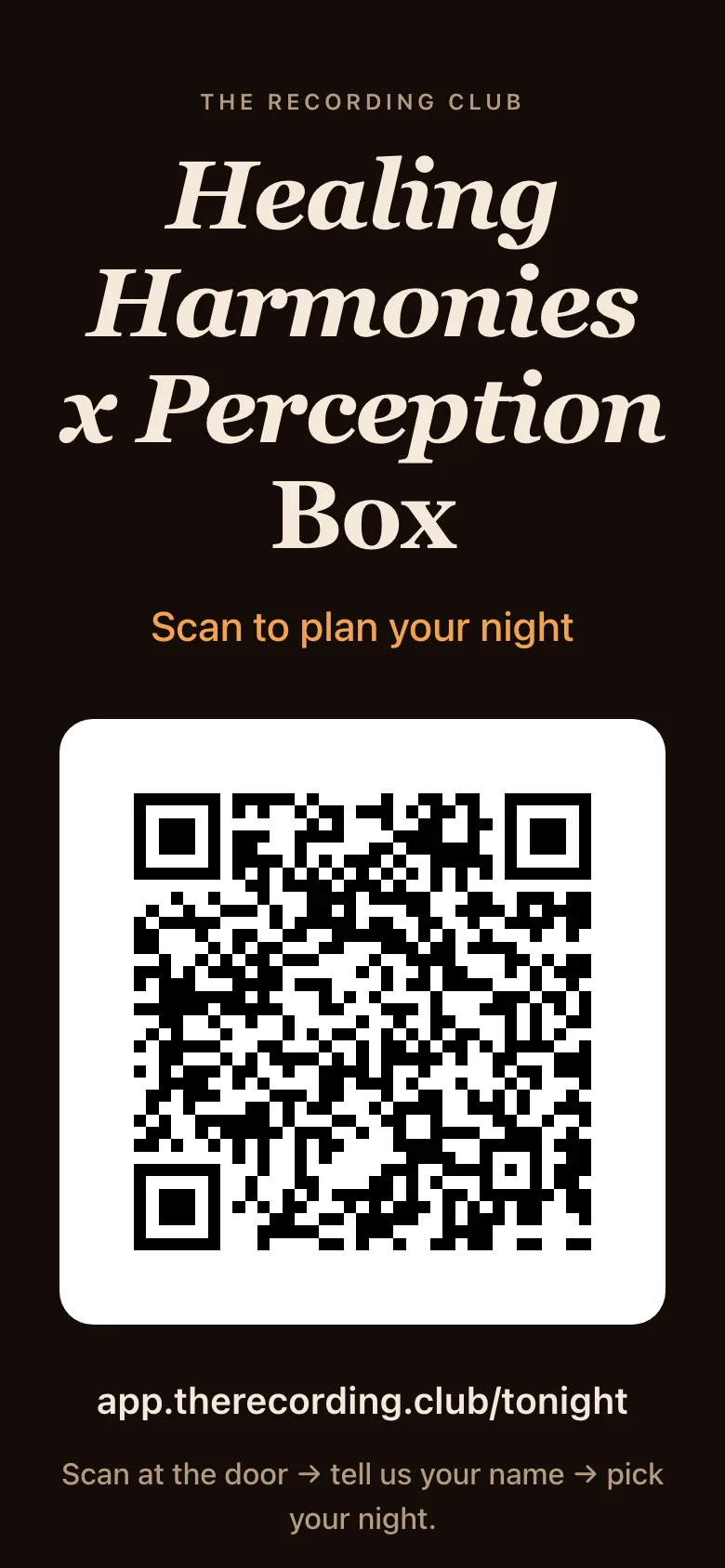
Door card
app.therecording.club/tonight/qr
- Print it for the door and the tables
- Scan to open guest check-in
- A short link to type if a camera will not scan
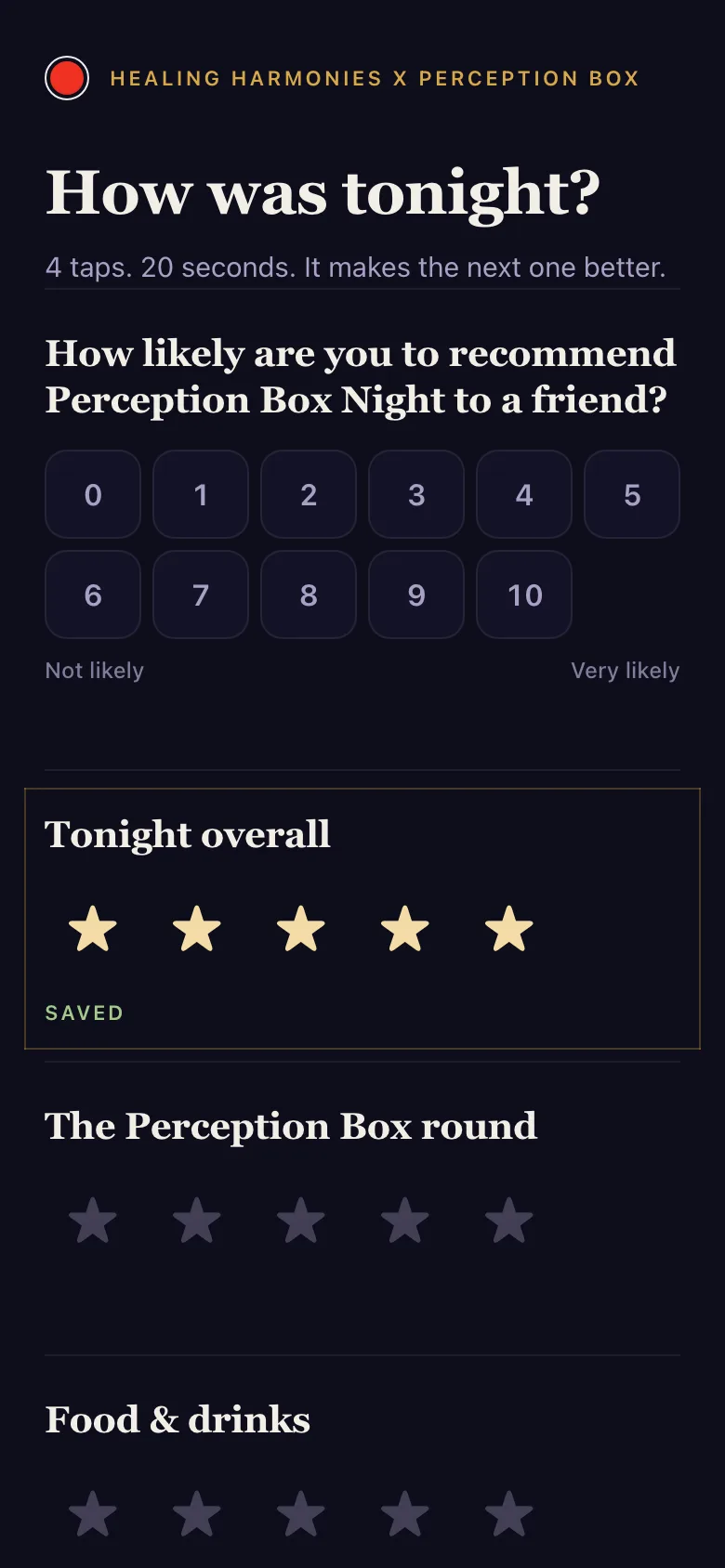
Survey
app.therecording.club/tonight/survey
- How likely a guest is to recommend the night, 0 to 10
- Stars for the night, the Perception Box round, and the food
- Each tap saves on its own
Managers also get a staff board behind a login. It holds the rosters and capacities, lets staff add a guest by hand, runs the room-change timers, and shows every reminder text that went out. It is also where an admin arms the reminders for the night, and nothing texts until they do.
Everything it does on one night
Check-in
Name and mobile number at the door. A guest who loses their screen checks in again with the same number and gets their picks back.
Pick your sessions
One session per round. Full sessions close on their own, so a capped yoga room never overfills.
Countdown
My Night shows what is next, the room, and the minutes left, so nobody has to ask staff.
Texts before each session
A text five minutes before each session and one at the start. A guest who has the iOS app with notifications on gets a push instead. Nobody gets both.
The lobby wall
Questions, the live board, the schedule, and your own slides, on rotation, on any TV with a browser.
The question roulette
The LED wall card game. Guests pick a card and meet the night's questions before they reach the circle.
Staff board and crew guide
A shared checklist by phase, late-task flags, room-change timers, rosters, and the text log.
Survey and debrief
Staff send the survey after the night, with one button or on an automatic timer they switch on. At 8 the next morning, a debrief email for the team is drafted from attendance, costs, and the crew's fix-next-time notes. It waits in a queue until a person presses send.
Make it yours
Each night lives in the app as settings: rooms, sessions, times, questions, and texts. Your version starts from the same system with your settings in place.
To set it up for your organization, write to Greg Spero at The Recording Club.
Back to the playbook
The Perception Box™ framework is the work of Unlikely Collaborators. The app is built and run by The Recording Club. Screens of the guest, lobby, crew, door card, and survey pages are rendered from the app's own code with a sample night; the LED wall is a live capture.